
Privacy-First AI: Why Local Processing is Replacing Cloud Uploads
Cloud AI needs your data to leave your device, which is exactly the part most people stop thinking about. This post walks through why on-device processing is catching up fast, where it still falls short, and what to check before you trust an app's privacy claims.
Your phone used to ask first
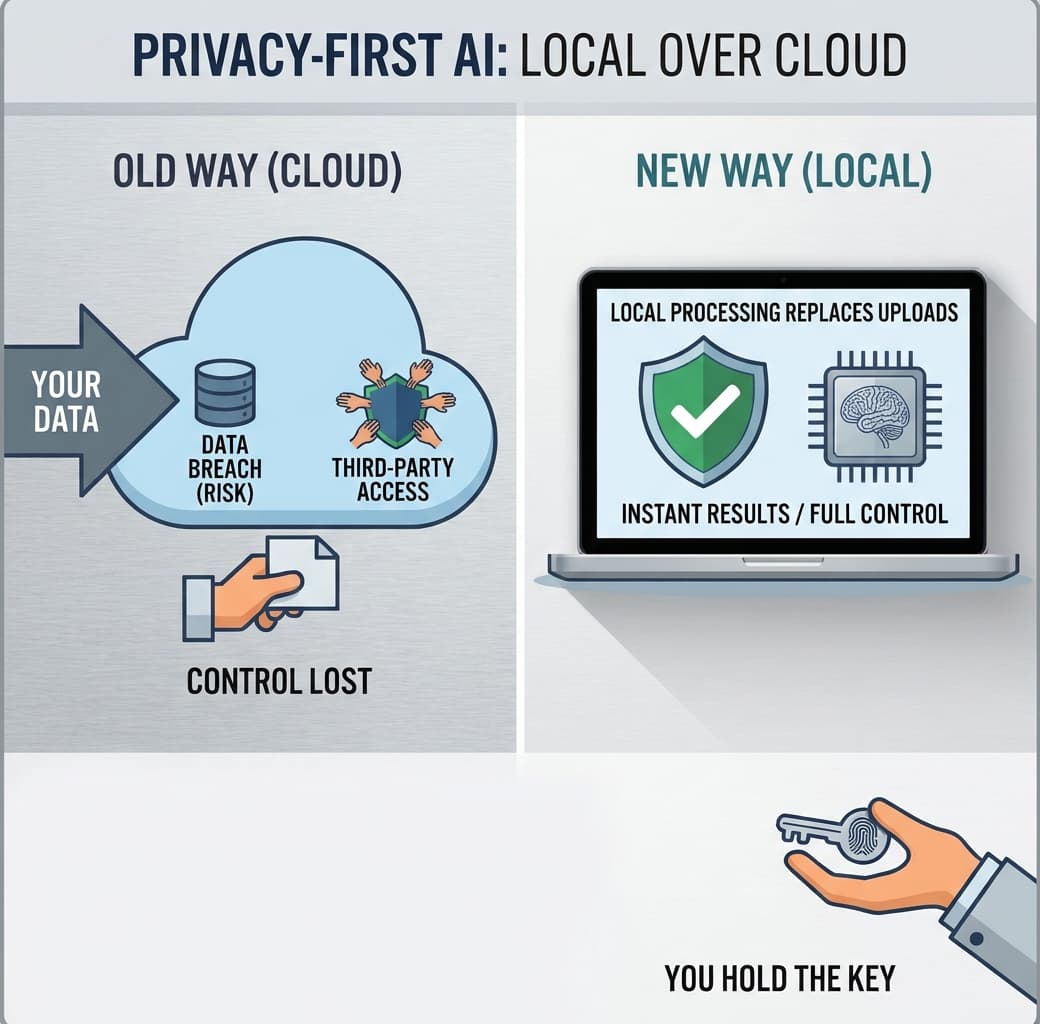
It didn't used to be like this. Every voice command, every photo your gallery app quietly sorts into "beach" or "dog," every sentence you type into a chatbot takes a round trip to a data center before it comes back as an answer. Privacy-First AI is the correction to that habit: running the model where the data already sits, instead of shipping the data out to get it processed somewhere else.
This isn't a fringe concern anymore. Apple's on-device processing for Siri requests, Google's Gemini Nano running directly on Pixel hardware, and Samsung's offline mode for Galaxy AI all exist because the companies building them realized something: users were starting to ask where their data actually went, and "trust us" stopped being a good enough answer.
What actually happens when you upload to the cloud
When you send a prompt to a cloud-based AI model, it doesn't just answer and forget. The request typically passes through several servers, gets logged for abuse monitoring, sometimes gets used to improve future versions of the model, and sits in storage for a retention period that's rarely shorter than thirty days. OpenAI's own policy, for instance, keeps API data for up to 30 days even when you've opted out of training use.
That's not a conspiracy. It's infrastructure. Cloud providers need logs to debug failures and prevent misuse. But that means every photo, voice memo, or medical question you send to a cloud AI tool exists, at least for a while, on hardware you don't control and can't audit.
The gap between "we don't sell your data" and "your data never leaves your device" is enormous, and most privacy policies are written to blur exactly that line.
How on-device AI processing actually works
On-device AI processing means the model itself, not just the interface, lives on your phone, laptop, or smart speaker. The weights are downloaded once, compressed to fit local memory, and run using chips built specifically for the job: Apple's Neural Engine, Qualcomm's Hexagon processor, Google's Tensor cores. No network call happens at all for the core task.
This is edge computing privacy in its most literal form. The computation happens at the "edge" of the network, meaning your device, rather than the center, meaning someone else's server. A transcription app using an on-device Whisper model can turn your voice memo into text while your phone sits in airplane mode. There's nothing to intercept because there's nothing being sent.
Where this gets genuinely difficult
Here's the part the marketing glosses over: running a large model locally is expensive in ways that matter to ordinary hardware. A full-size language model with 70 billion parameters needs roughly 140GB of memory just to load in standard precision. No phone has that. Which is why on-device models are smaller, compressed versions, usually under 10 billion parameters, and they're noticeably worse at open-ended reasoning than their cloud counterparts.
So the honest version of the pitch is this: Privacy-First AI trades some capability for control. For narrow, well-defined tasks (transcription, autocomplete, photo categorization, simple translation) that trade is barely noticeable. For long-form writing, complex coding, or anything requiring broad general knowledge, cloud models still win on raw quality.
Cloud vs local AI, side by side
Factor | Cloud AI | On-device AI |
|---|---|---|
Data leaves the device | Yes, every request | No, for the core task |
Works offline | No | Yes |
Model size/capability | Very large, highest quality | Compressed, narrower tasks |
Latency | Depends on network, 200ms-2s typical | Near-instant, no round trip |
Who can see your data | Provider, logs, possibly third parties | Only you, by default |
Cost to run | Server infrastructure, paid per use often | One-time hardware cost |
Look at that latency row for a second. Local processing isn't just more private; it's often faster, because there's no network hop. That surprises people who assume privacy always comes at a performance cost. In this case, it's closer to the opposite.
Federated learning: the middle path nobody explains well
Federated learning gets lumped in with on-device AI processing, but it's solving a different problem. It's not about keeping your data private while you use an app. It's about improving a shared model without anyone's raw data ever being collected in one place.
Here's how it actually works. Your keyboard app trains a tiny local update based on how you type, using only your device's data. That update, a set of mathematical adjustments, gets sent back to the company's server. Your actual messages never leave your phone. Thousands of these small updates get averaged together into an improved model, which then gets pushed back out to everyone's devices. Google has used this exact method for Gboard's next-word prediction since around 2017.
The catch: federated learning still requires some network communication, just not of your raw data. If someone tells you a feature is "fully private" because it uses federated learning, ask what specifically gets transmitted. Usually it's gradients, not content, but gradients can sometimes be reverse-engineered to reveal information about the original data if the model isn't built carefully.
Why this is becoming the default, not the exception
Three things are pushing data privacy protection toward local-first design at the same time. Regulation is one: GDPR fines and the EU AI Act have made "we store everything indefinitely" a legal liability rather than just a reputational one. Hardware is the second: chips capable of running real AI models locally didn't widely exist in consumer phones until around 2021.
The third is simpler. People got burned. Clearview AI scraped billions of photos without consent. Several period-tracking apps were found sharing health data with advertisers in 2022. Each story like that makes the pitch for Privacy-First AI a little less abstract and a little more "yeah, that happened to someone I know."
None of this means cloud AI is going away. Training the large models that power on-device features still happens on massive server farms; local processing is what happens after training, when you're actually using the thing. The split isn't cloud versus local as rivals. It's training versus inference, happening in two very different places for two very different reasons.
What to actually check before you trust an app's privacy claim
Marketing copy says "private by design" constantly. That phrase means nothing on its own. What matters is whether the processing genuinely happens on-device, and you can test that yourself in about thirty seconds.
Turn off Wi-Fi and cellular data, then try the AI feature. If it still works, it's local. If it errors out, it was never really private in the way it claimed.
Check the app's data policy for the specific word "transmit" rather than "store," since some apps process locally but still upload a copy for syncing afterward.
Look for a toggle labeled something like "on-device only" or "offline mode." If that option exists and is off by default, that tells you which choice the company actually wants you to make.
Whether a company will keep offering the on-device option once it gets expensive to maintain two separate pipelines, the cloud one and the local one, is an open question nobody in the industry wants to answer directly yet.
Common questions about Privacy-First AI
Does on-device AI mean my data never leaves my phone at all?
Not always. Many apps run the AI model locally but still send usage logs, crash reports, or a synced copy of your data to a server for backup. Check the privacy settings specifically for "model processing" versus "data sync" because they're usually controlled separately.
Is local AI processing actually as accurate as cloud models?
For narrow tasks like transcription, photo sorting, and keyboard prediction, on-device models are now close enough that most people can't tell the difference. For open-ended tasks like long-form writing or complex reasoning, cloud models still have an edge because they're simply larger.
Will Privacy-First AI slow down my phone or drain the battery?
Running a model locally uses more processing power in short bursts, which can warm up the device during heavy use like live transcription. Chip makers have built dedicated neural processing units specifically to handle this efficiently, so the battery cost is smaller than it would have been three years ago.
What's the difference between on-device AI and federated learning?
On-device AI processing means the model runs and produces its answer entirely on your hardware. Federated learning is a training method where many devices improve a shared model using their own data, then send back only the math, not the data itself.
How do I check if an app actually does local processing or is just claiming to?
Turn off your Wi-Fi and mobile data, then try the feature. If it still works, the processing is happening on the device. If it fails or shows an error, the app is quietly routing your data to a server regardless of what its marketing copy says.